Your first alert
Ten minutes. You end with a message in Teams, Slack or your inbox the next time a check breaches — and silence when nothing changed.
1. Decide where alerts go
Alerts are configured per suite, so the team that owns the data gets told about its data. Destinations are channels — a Teams or Slack webhook, an email recipient list, or a signed webhook — defined once by an Admin under Admin → Settings → Notification channels and then linked to any suite. Workspace-wide defaults (a Slack webhook, an SMTP sender, a Teams webhook) are set by whoever deployed DataQ through environment configuration.
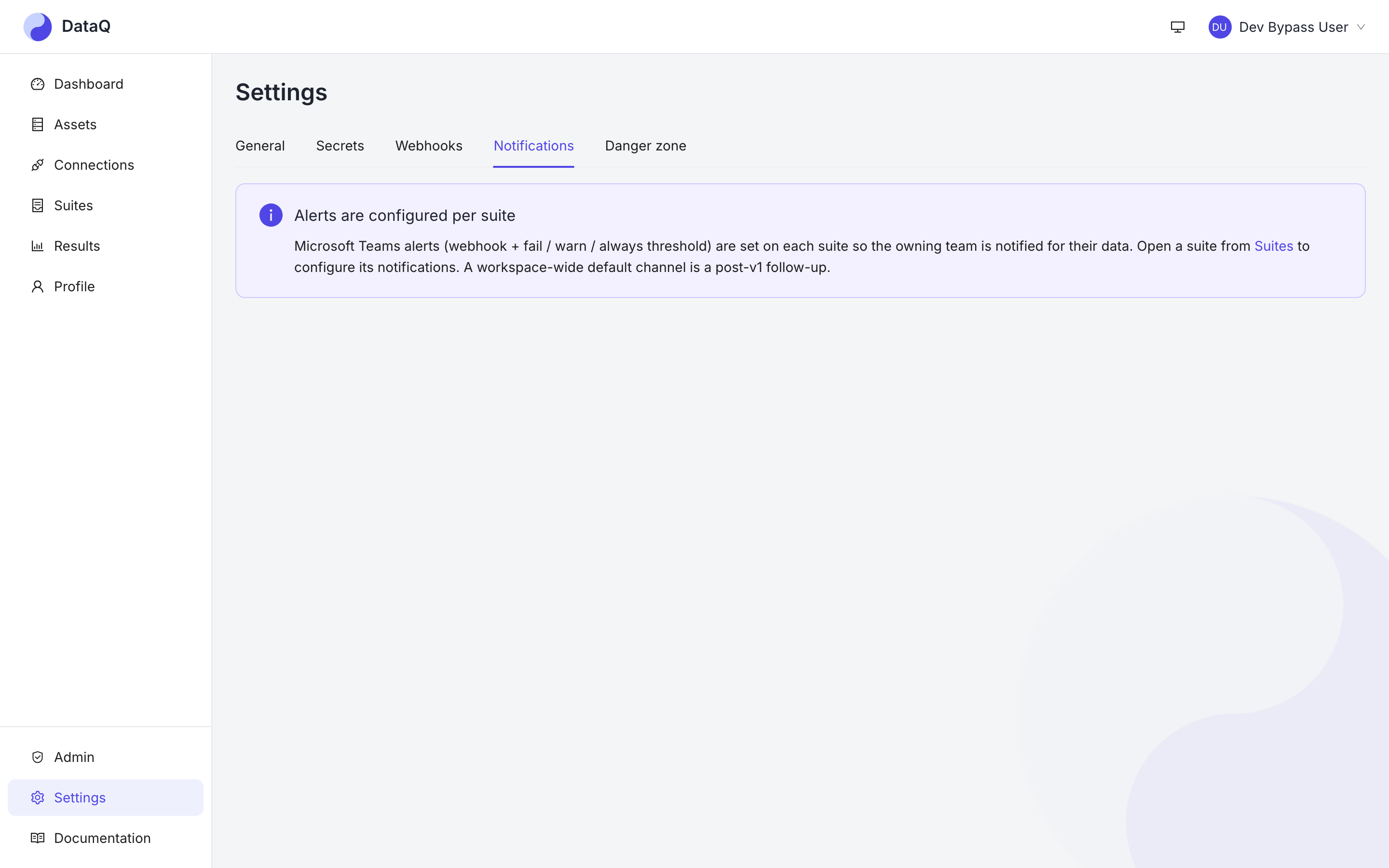
Destinations live here; each suite decides which of them it uses and when.
2. Turn alerts on for the suite
Open the suite and scroll to Notifications:
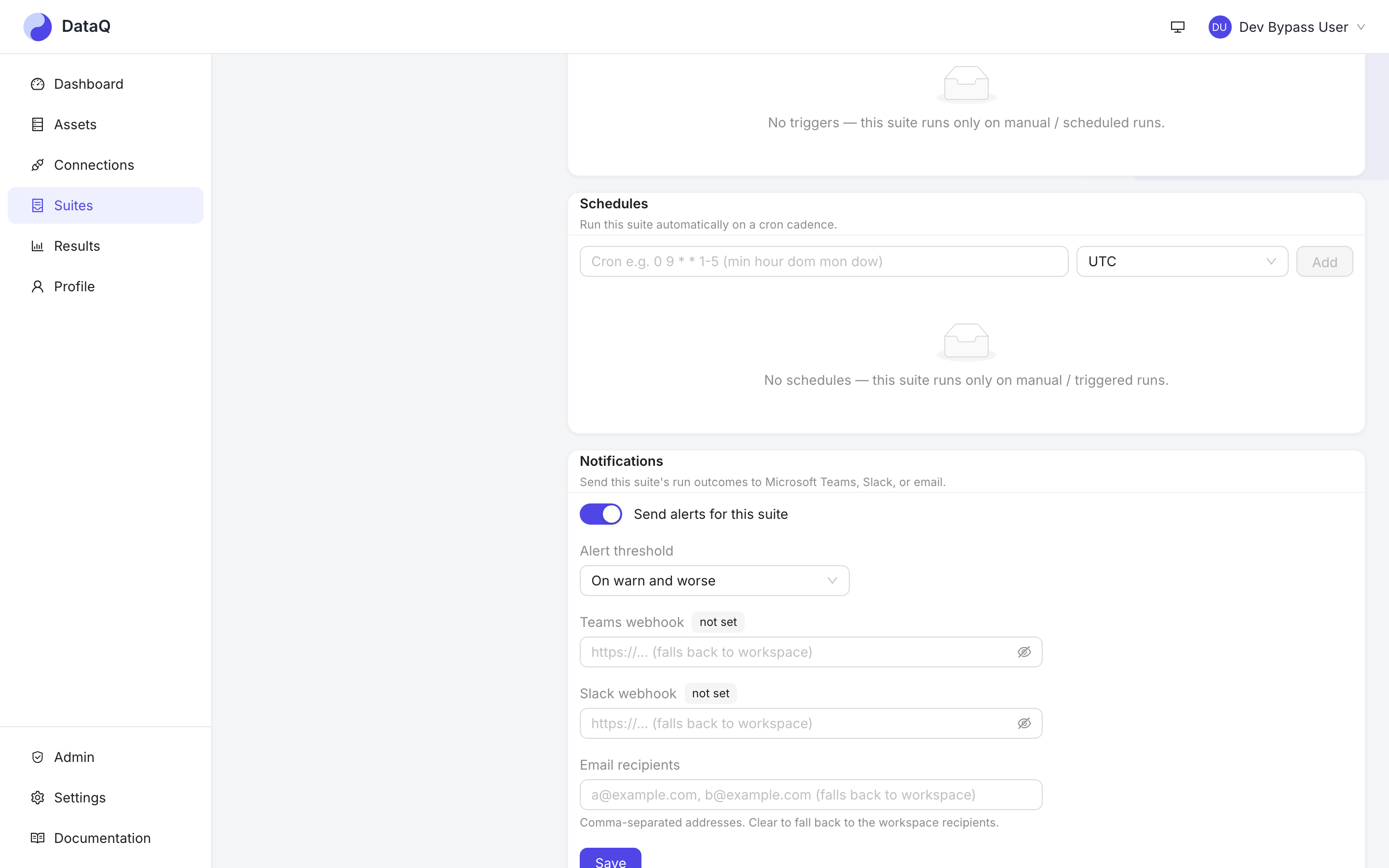
Everything an alert needs, on the suite itself.
- Switch Send alerts for this suite on.
- Pick the alert threshold. The default, On warn and worse, is the right first choice: quiet for a passing run, loud the moment a check crosses a threshold you set.
- Under Channels, pick the channels this suite alerts through. A workspace-wide default destination (if your deployment configures one) is alerted as well, not instead. Webhook URLs live in the secret store and are never shown again after an Admin saves the channel.
- Save.
3. Prove it fires
Edit a check so it must breach — set a warn threshold below today's unexpected-% you saw in
the dry-run — and click Run. Within seconds of the run finishing, the alert lands with the
suite name, the worst severity, the checks that breached and a link back to the run.
Put the threshold back afterwards. Now the same run is green and nothing fires: DataQ alerts only when a run got worse than the previous one (a newly failing check, or an escalation from warn to fail to critical), so a broken check on a 15-minute schedule reports once, not 96 times a day.
What else you get for free
- Severity-aware delivery —
criticalescalates (a channel mention on Teams),warnstays quiet. - Operational failures always alert — a run that could not execute (dead credential, unreachable store) notifies regardless of the threshold, with a plain-language reason.
- Snooze — from the suite's check list, silence one check for N hours during a known upstream incident; it un-snoozes itself.
- Incidents — a critical breach opens an incident on the asset, with an evidence card you can acknowledge and resolve from the run page or over MCP.
Everything above, in depth: Notifications & alerting.