Getting started
Three tracks, matched to why you're here:
- Production and enterprise teams → deploy on a cloud platform with a reference stack: Azure Container Apps (primary) or AWS ECS Fargate. See Production deployment. This is the recommended way to run DataQ for a team: managed Postgres and Redis, a cloud secret store, your identity provider, and the frontend as the only public surface.
- Evaluate or try it locally → pull the prebuilt images (below). One Docker Compose file on your machine, no cloud account.
- Develop / contribute → build from source with
scripts/setup.sh(further down).
Evaluate locally from prebuilt images
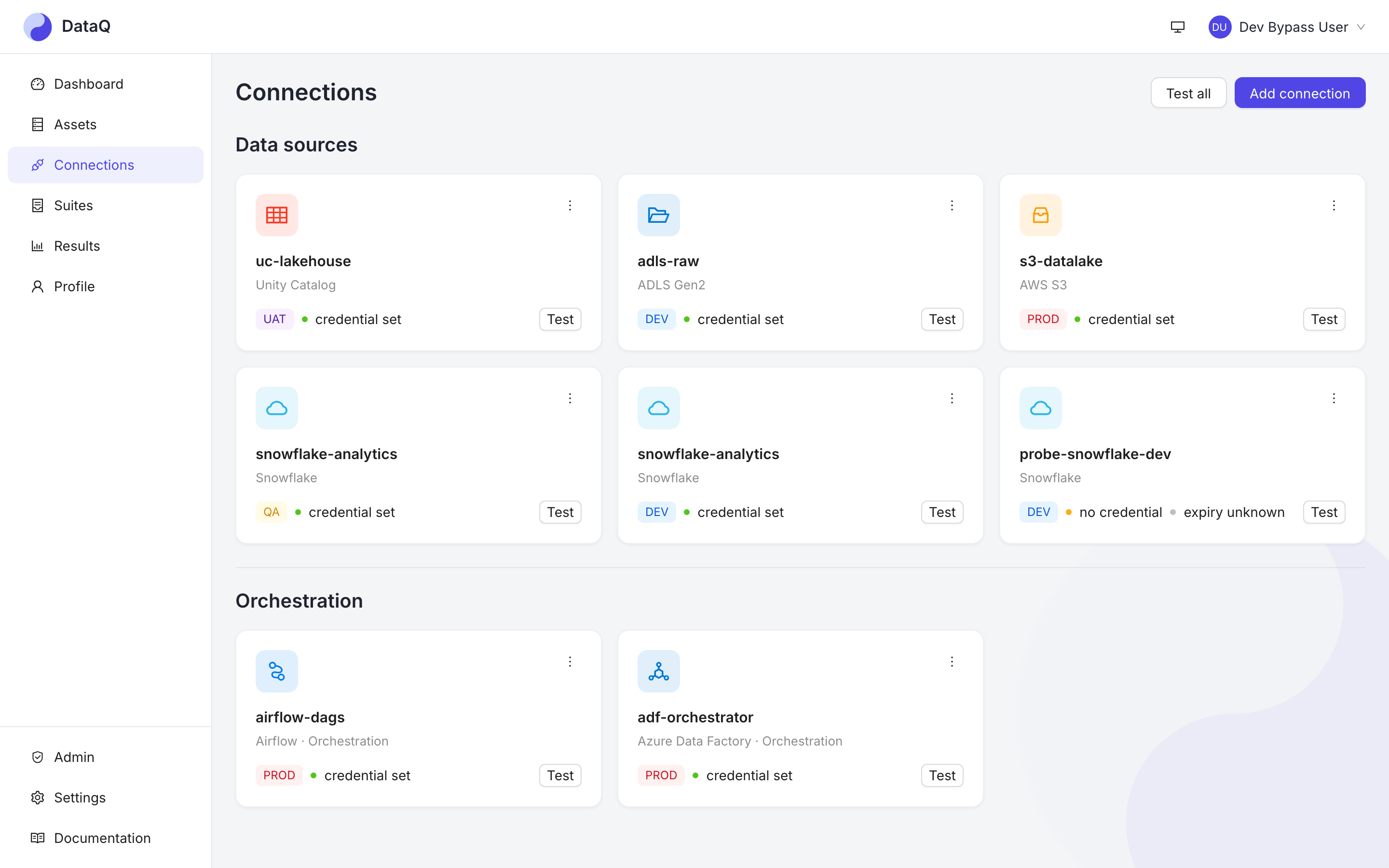
Prerequisite: Docker (Compose v2). No source checkout, no conda, no Node, no Azure tenant.
curl -O https://raw.githubusercontent.com/TheurgicDuke771/DataQ/main/docker-compose.ghcr.yml
export OPENBAO_TOKEN=$(openssl rand -hex 16)     # root token for the bundled vault
export DATAQ_SIGNIN_EMAIL=you@example.com        # the address allowed to sign in
docker compose -f docker-compose.ghcr.yml up
This pulls the published images from GHCR and brings up Postgres + Redis + the API +
Celery worker + the UI + a local mail catcher, runs migrations, and seeds demo data.
Open https://localhost:3000, type the address you exported, and read the 6-digit
code in the bundled inbox at http://localhost:8025.
- Sign-in works with no SMTP relay. The stack bundles its own mailbox (Mailpit, MIT), so DataQ's real mailer runs its real SMTP path and the message lands in a web inbox on your machine instead of the internet. No mailbox has to exist; nothing leaves the host.
- Multi-arch: the images are
linux/amd64+linux/arm64, so Apple Silicon runs native (not emulated). -
HTTPS with a local certificate. On first start the stack generates its own certificate authority (DataQ Local Dev CA) and a certificate for
localhost, and the UI serves HTTPS with it, so the session cookie isSecureas it is in production. Your browser does not know this CA, so it warns once; accept the warning to continue, or trust the CA on this machine and the warning goes away:curl -O https://raw.githubusercontent.com/TheurgicDuke771/DataQ/main/scripts/local-ca.sh bash local-ca.sh install # asks for sudo; `uninstall` reverses it, `status` reports
It adds the CA to the macOS System keychain, or to the system CA store on Debian/Ubuntu
and Fedora/RHEL, and to Firefox's own store when the NSS certutil tool is installed
(otherwise it prints the manual step; on Windows it prints the certutil command). It
trusts only a certificate named DataQ Local Dev CA, and if you decline sudo the
stack keeps working with the warning. Run uninstall before down -v, or the old CA
stays trusted after its stack is gone. To point a single client at the CA instead
(curl, the CLI, an MCP client), copy the certificate out:
```bash
docker compose -f docker-compose.ghcr.yml cp frontend:/certs/ca.pem dataq-local-ca.pem
curl --cacert dataq-local-ca.pem https://localhost:3000/healthz
```
The CA's private key stays in a volume that only the generator mounts, and the CA
survives restarts; down -v removes it. The localhost certificate lasts a year and
is renewed when the stack is started within 30 days of its expiry; the same goes for
the certificates Postgres, Redis, the mail catcher, the vault and the API hold.
Containers that were
already running keep the old ones, so after a renewal restart the stack
(docker compose -f docker-compose.ghcr.yml restart). Plain
http://localhost:3000 redirects to
HTTPS. The inbox on :8025 stays plain HTTP on loopback.
- TLS inside the stack too. The API, worker and scheduler reach Postgres with
sslmode=verify-full, Redis over rediss:// (its plain port is off), and the mail
catcher over STARTTLS, each verified against the same local CA, and each server holds
a certificate for its own hostname only, with a key no other container can read.
The vault is reached over HTTPS and the UI's proxy talks to the API over TLS, both
verified the same way, and Postgres refuses a network client that is not on TLS.
These are the client code paths a managed database, cache, vault and mail relay use
in production. Two things stay plain by design: the inbox page on :8025, and the
demo profile's sample warehouse, which stands in for a warehouse of your own (the
connection's TLS setting is the control there).
- Check it yourself. scripts/local-smoke.sh (fetch it the same way as the compose
file, and run it beside it) smokes the running stack the way a deployment is smoked
after a roll: the certificate verifies against the stack's CA, plain HTTP redirects,
the API and MCP refuse an anonymous caller, only the UI and the inbox have a host
port, a real sign-in, read and sign-out work with a Secure cookie, Postgres and Redis
are on TLS, and a burst is rate-limited. It exits non-zero if any check fails.
- One way in, as in production: the UI on :3000 is the only published surface. The
API has no host port; it is reached through the UI at https://localhost:3000/api, and
MCP clients connect to https://localhost:3000/mcp/. The database, Redis and the vault
are reachable only inside the compose network. The interactive API page is off, as it
is on a production deployment; the API reference is published
with these docs.
- Loopback-only: both published ports (:3000 and the inbox on :8025) bind to
127.0.0.1 — the stack is reachable from your own machine but never the LAN. That
matters more than usual for :8025, which serves live sign-in codes to anyone who can
reach it. Not for production — a real deploy uses the OpenTofu stack
(deploy/terraform/azure, ADR 0024).
- Try it on real data: add --profile demo to the up command. It also starts a
sample warehouse (PostgreSQL) holding a small shop dataset with deliberate defects, and
connects DataQ to it: a connection named Demo warehouse (PostgreSQL), two suites
(Shop orders and Shop customers) whose checks cover value rules, custom SQL,
freshness, volume, an aggregate statistic, schema drift and anomaly detection, and an
hourly schedule. Both suites run once as the stack starts, so your first sign-in shows
real results: several checks fail on purpose, and the anomaly check waits for more
history before it scores. No new orders arrive while the stack runs, so the freshness
check warns after a day and fails after three, which is the monitor doing its job;
restarting the stack makes the data current again. The sample warehouse has no host
port and is reachable only inside the compose network.
- Pin a release instead of the moving stable tags:
DATAQ_BACKEND_TAG=vX.Y.Z DATAQ_FRONTEND_TAG=vX.Y.Z docker compose -f docker-compose.ghcr.yml up.
Take the compose file from the same release (replace main with vX.Y.Z in the
download URL) and pin both images: the file and the images change together, and a
newer file with older images does not start.
- Your data lives in a directory. The database, the sample warehouse and the vault
write to ./dataq-data beside the compose file; set DATAQ_DATA_DIR to an absolute
path to keep it elsewhere. Connections, suites, results and the credentials you enter
survive a restart, down -v and a Docker reset, and the directory can be backed up or
moved while the stack is stopped. The vault unseals itself from a key file in that
directory, so there is no unseal step, and OPENBAO_TOKEN may change between starts:
the new token replaces the old one. That convenience has a cost: the key, the
vault's root token and the data sit together, so anyone who can read the directory can
read every stored credential. Treat it like a password file; a production deployment
uses a managed secret store instead.
- Reset: docker compose -f docker-compose.ghcr.yml --profile demo down -v, then
delete the data directory (rm -rf dataq-data). down -v alone removes only the
certificates. On Linux the files belong to the containers' users, so deleting,
copying or moving the directory needs sudo.
- Omitting DATAQ_SIGNIN_EMAIL stops the stack and says so — there is no no-sign-in
default to fall into.
Choosing an auth mode
DataQ ships two ways to log a human in:
| Mode | For | You must bring | Sign-in looks like |
|---|---|---|---|
otp ← the default |
A small team, or anyone evaluating locally | an SMTP relay in production — nothing locally, the compose stacks bundle a mailbox | you type your address, DataQ emails a 6-digit code, you type it back |
oidc |
An organisation that already has an IdP | an OIDC app registration (Azure AD, Okta, Keycloak, Cognito, …) | your normal SSO redirect |
otp is what you boot into. Both compose stacks used to start with no sign-in at
all, which meant anyone who could reach the port administered a tool that stores
warehouse credentials — and an eval stack's defaults are the security posture people
actually run (the same reasoning that moved the default secret store off the plaintext
one). What made otp unusable as a default was the SMTP relay it used to require; the
bundled catcher
removes that, so the only thing left to supply is who is allowed in — one variable,
DATAQ_SIGNIN_EMAIL, which scripts/setup.sh asks for. Setting it empty is the
downgrade; leaving it unset stops the stack rather than picking for you.
The mode is never inferred. Anything unrecognised or half-configured renders an "authentication not configured" banner rather than quietly falling back to something permissive — and the backend refuses to boot on a half-configured OTP block rather than coming up unable to log anybody in.
Two selectors, set them together. The frontend's DATAQ_AUTH_MODE (injected at
runtime by nginx — ADR 0028) and the backend's own mode (inferred from its AZURE_* or
AUTH_EMAIL_* settings) are separate contracts, and neither can derive the other.
Backend OTP on with the frontend on oidc shows an SSO flow against an IdP that isn't
configured; the reverse shows a code form whose endpoints 503.
otp — email one-time codes (ADR 0032)
The default, and the rung for teams that have email but no IdP.
Locally there is nothing to configure but your address. Both compose stacks run a
Mailpit container (MIT) as the mailbox: DataQ performs a
real SMTP submission against it — the same connect → AUTH → send path a production
relay gets — and the message appears in a web inbox at http://localhost:8025. On the
prebuilt-image stack the mailer uses STARTTLS and verifies the catcher against the
stack's local CA. On the from-source stack it runs with AUTH_EMAIL_TLS_MODE=none,
the plaintext downgrade none exists for, logged loudly on every send: it is correct
against a container you started on your own machine and wrong against anything else.
In production you still bring your own relay — bundling an outbound mailer is a deliberate non-goal (direct-to-MX from an arbitrary self-hosted IP gets sign-in codes spam-foldered, and a vendor relay would leak sign-in metadata to a third party). Frontend:
DATAQ_AUTH_MODE=otp
Backend — all four mailer values plus at least one allowlist entry (there is no open registration; DataQ holds failing-row samples, which are PII):
AUTH_EMAIL_SMTP_HOST=smtp.example.com
AUTH_EMAIL_SMTP_PORT=587
AUTH_EMAIL_USERNAME=dataq@example.com
AUTH_EMAIL_FROM=dataq@example.com
AUTH_EMAIL_PASSWORD_SECRET_NAME=dataq-smtp     # the VALUE lives in your secret store
AUTH_OTP_ALLOWED_DOMAINS=example.com           # and/or AUTH_OTP_ALLOWED_EMAILS=...
WORKSPACE_ADMIN_EMAILS=you@example.com         # bootstrap: your own address
Give this block to both the api and the worker: the api validates the request and mints the
code, but the worker is what actually sends the email (the send runs off the request path so a
slow relay cannot leak who is allow-listed).
A worker without it logs otp_send_task_failed and no code ever arrives.
First sign-in: put your own address in both the allowlist and WORKSPACE_ADMIN_EMAILS,
then sign in to your own mailbox. There is no seeded password to rotate.
The sign-in form is deliberately credential-only — no sign-up step, no name field, per ADR
0032 — so a first-time OTP user's row has no name yet. The app offers a one-time, skippable
prompt for one right after that first sign-in. Skipping it is fine — the name is
cosmetic, never an authz input — and it (or any later change) is always available from
Profile, for every auth mode, not just otp.
Before letting anyone else in, prove the mailer works: as a workspace admin, POST
/api/v1/admin/auth-email/test sends a real message to your own address and, on failure,
names the stage that broke (connect / tls / auth / send). Far better to find a bad
relay here than at a teammate's first sign-in, when the only symptom is a code that never
arrives. It exercises the api's transport block synchronously; the worker sends the real
codes with its own copy of that block, so if the pre-flight passes and codes still never arrive,
read the worker log for otp_send_task_failed.
One consequence worth knowing up front: with no IdP there is no bearer token for /mcp to
validate, so in this mode a PAT (dq_live_…) is the only credential MCP accepts. AI
clients need an API key; a session cookie will not do.
Read Security & data handling before enabling it — under OTP the mailbox is the credential, so mailbox compromise is account compromise. The session is an HttpOnly cookie with a fixed 24 h life and no refresh token; signing in again is the refresh. Codes expire in 10 minutes, are single-use, and allow 5 attempts.
The mailer defaults to SMTP + STARTTLS on 587, verified against the system trust
store. Two more transports are available via AUTH_EMAIL_TLS_MODE: implicit for a
submission relay on :465 (SMTPS), and none — a deliberate plaintext downgrade,
logged loudly on every send, for a loopback relay or a throwaway test rig only. An
internal relay signed by a private CA doesn't need the container's whole-process
trust store touched: point AUTH_EMAIL_CA_BUNDLE at its PEM and only the mailer's own
connection trusts it. There is no option to skip certificate verification — the bundle
is the answer to "my relay's cert isn't publicly trusted", not a way around checking it.
oidc — self-hosting with your own identity provider
The compose eval runs the frontend with DATAQ_AUTH_MODE=otp against the bundled
mailbox, which is fine for evaluation and for a team on a trusted network, but is not an
IdP. The frontend is one generic image whose auth config is injected at runtime
(nginx serves /config.js from the DATAQ_AUTH_* env), so the same image goes from eval
to real SSO with no rebuild (ADR 0028):
- As-pulled with no auth env it shows an "authentication not configured" banner. For real
SSO, run the same image with
DATAQ_AUTH_MODE=oidc+DATAQ_AUTH_AUTHORITY(e.g.https://login.microsoftonline.com/<tenant>/v2.0) +DATAQ_AUTH_CLIENT_ID(your SPA app registration) +DATAQ_AUTH_API_SCOPE(api://<api-client-id>/<scope>), and run the backend with the matchingAZURE_*settings. For a non-Azure IdP whose scope vocabulary differs, the optionalDATAQ_AUTH_SCOPEreplaces the requested scope string entirely — AWS Cognito rejects the default list'soffline_access, so a Cognito deployment setsDATAQ_AUTH_SCOPE="openid email profile"(with the backend'sOIDC_ISSUER+OIDC_AUDIENCEinstead ofAZURE_*). - The frontend reverse-proxies
/api+/mcpto the backend atDATAQ_API_UPSTREAM, resolving it via the DNS server it detects from the container's/etc/resolv.confat startup — so the one image works on Docker's embedded DNS (Compose) and cluster DNS (Kubernetes / Container Apps) without a rebuild. - MCP (
/mcp) is fail-closed: it needs a working sign-in configuration. Underoidcit validates the bearer token; under the eval stack'sotpit is served with a PAT (dq_live_…) as its only credential (there is no IdP to issue a token, and a session cookie is deliberately rejected) — see API keys.
Develop from source
Prerequisites: conda (the backend uses a conda env — not venv/poetry), Docker + Docker Compose, and Node 24+ / pnpm 9+ for the frontend.
git clone https://github.com/TheurgicDuke771/DataQ.git
cd DataQ
./scripts/setup.sh     # creates the `dataq` conda env, installs pre-commit, pulls
                       # images, runs DB migrations, seeds dev data, writes a local .env
conda activate dataq
docker-compose up      # Postgres + Redis + FastAPI (:8000) + React (:3000) + Celery
                       #   + Mailpit (:8025), the local inbox for sign-in codes
setup.sh also offers to trust the local HTTPS certificate the prebuilt-image stack uses
(it asks for sudo; DATAQ_TRUST_LOCAL_CA=0 skips it, and declining is harmless).
setup.sh asks which address may sign in and writes the answer to your gitignored
.env as DATAQ_SIGNIN_EMAIL. That address is allow-listed and made a workspace
admin, and you sign in by reading the code at http://localhost:8025 — no cloud account
or IdP, no SMTP relay. You can change the address later by editing that one variable and
re-running docker compose up.
Which file wins. The compose stack sets the whole AUTH_EMAIL_* block in its own
environment:, which beats env_file: unconditionally — so for the api/worker
containers .env.app is ignored for these keys in every state, including when the
switch is empty. Putting a real relay in .env.app and clearing the switch does not
select it; the stack refuses to start until you choose a mode. To point the compose stack at a real relay,
keep DATAQ_SIGNIN_EMAIL set and override the same key names in the root .env:
DATAQ_SIGNIN_EMAIL=you@example.com
AUTH_EMAIL_SMTP_HOST=smtp.example.com
# the from-source stack's catcher default is `none`
AUTH_EMAIL_TLS_MODE=starttls
# prebuilt-image stack only (see below); nothing may follow the `=`, not even a comment
AUTH_EMAIL_CA_BUNDLE=
On the prebuilt-image stack the catcher is reached over STARTTLS and verified against
the stack's local CA (AUTH_EMAIL_CA_BUNDLE=/certs/ca.pem), and that bundle is used
instead of the usual certificate authorities. A public relay's certificate is not
signed by the local CA, so set AUTH_EMAIL_CA_BUNDLE= (empty) alongside the host, or
every sign-in mail fails certificate verification.
Sending to real mailboxes from the prebuilt-image stack
To have sign-in codes arrive in Gmail, Outlook or any other real mailbox, point the
stack at an SMTP relay you have an account on. Put this in a .env file beside the
compose file (or export the variables) and start the stack:
DATAQ_SIGNIN_EMAIL=you@example.com
# Microsoft 365 / Outlook: smtp.office365.com
AUTH_EMAIL_SMTP_HOST=smtp.gmail.com
AUTH_EMAIL_SMTP_PORT=587
AUTH_EMAIL_USERNAME=you@example.com
AUTH_EMAIL_FROM=you@example.com
# empty, so the relay is checked against the public CAs. Nothing may follow the `=`:
# a comment on this line would become the value.
AUTH_EMAIL_CA_BUNDLE=
# needed on the first start only
DATAQ_SMTP_PASSWORD=<the relay password>
- The password is handed over once.
DATAQ_SMTP_PASSWORDis read by a start-up step that writes it to the stack's vault and by nothing else; the API never has it in its environment. The vault keeps it across restarts, so remove the line after the first start. Supply it again only to change it. - Gmail needs an app password (an account with 2-step verification, then App passwords), not your sign-in password. Microsoft 365 / Outlook works where SMTP AUTH is enabled for the mailbox; many organisations turn it off.
- The relay will only send from an address the account owns, so
AUTH_EMAIL_FROMis normally the same as the username. - With a real relay configured the bundled inbox on
:8025receives nothing. - If the code does not arrive, an Admin can use Admin → Settings → Send test email,
which reports the relay's answer. With no password stored the start-up step
says so in its log (
docker compose logs otp-mail-secret) rather than inventing one.
Alert emails use a separate mailer. Turn it on the same way:
EMAIL_SMTP_HOST=smtp.gmail.com
EMAIL_USERNAME=you@example.com
# comma-separated recipients
EMAIL_TO=team@example.com
# first start only
DATAQ_ALERT_SMTP_PASSWORD=<the relay password>
.env.app is still the file for host-side dev (uvicorn on your own machine, which
reads it directly) — point AUTH_EMAIL_SMTP_HOST at localhost if you want the catcher
there too (Mailpit publishes 127.0.0.1:1025).
Configuration
All runtime config is environment variables read by the backend's Settings. The
complete, commented reference is
.env.app.example —
copy it to .env.app (gitignored) and adjust. Never commit secrets; scripts/setup.sh
generates local-dev credentials on first run.
Running tests
The DB-backed tests need a real Postgres (gen_random_uuid()/jsonb, which SQLite
can't host); notification tests also need Redis. The suite is ~4,800 tests and growing —
exact counts below drift with every PR, so treat them as shapes, not contracts. There are
three ways to run:
# 1. One command — brings up the compose Postgres + Redis, provisions a dedicated
#    `dataq_test` DB, runs the whole suite incl. the real-broker E2E (this is what
#    CI runs; the script sets DATAQ_E2E=1 for you — see the note below):
scripts/test-backend.sh                    # → everything passes
scripts/test-backend.sh -k notifications   # extra pytest args pass through

# 2. Plain pytest — incl. the VS Code / PyCharm test runner. With the compose
#    services up, conftest AUTO-DETECTS the local Postgres (from .env, on dataq_test)
#    so the DB tests run — no env vars, no wrapper. The one real-broker E2E test
#    still skips here (see the note below):
docker compose up -d postgres redis
conda run -n dataq python -m pytest backend/tests           # → all pass, 1 skipped

# 3. No services at all — the DB-backed tests skip, the pure-unit suite still runs green:
conda run -n dataq python -m pytest backend/tests           # → passes with the DB tests skipped

# Frontend:
cd frontend && pnpm test
The auto-detect is safe: it only kicks in when
TEST_DATABASE_URLis unset, targets a separatedataq_testdatabase (your dev DB + seed data are untouched), and is a no-op in CI (which setsTEST_DATABASE_URLexplicitly). The one test that needs an extra, EXPLICIT opt-in is the real-infra E2E (test_probe_e2e) — it spins up a live Celery worker + broker and does real commits/TRUNCATEs, so it requiresDATAQ_E2E=1alongsideDATABASE_URL+REDIS_URL(not merely the latter two): conftest's auto-detect above meansDATABASE_URLalone is no longer a reliably deliberate signal, so a fourth, conftest-never-sets-it-for-you flag keeps this one test a conscious choice.scripts/test-backend.shand CI both set it; a barepytestdoes not.
Before pushing, run the same gate CI does: Ruff, Black --check, mypy, Bandit, pytest
(backend) and ESLint, Prettier --check, Vitest (frontend). See the
Contributing guide.