Concepts
Six words carry the whole product. Here they are, in the order you meet them.
flowchart LR
    C[Connection] --> S[Suite]
    S --> K[Checks]
    K --> R[Run]
    R --> T[Results]
    T --> A[Alerts & incidents]
    P[Pipeline] -. triggers .-> R
style P stroke-dasharray: 4 4| Word | Plain English | Where you see it |
|---|---|---|
| Connection | How DataQ reaches one datasource (or one orchestrator), with its credential kept in the secret store | Connections |
| Suite | A named set of checks against one target table or file | Suites |
| Check | One rule: a value expectation, a monitor (freshness, volume, aggregate, schema drift, anomaly), a comparison, or custom SQL | Suite → Checks |
| Run | One execution of a suite: manual, scheduled, or triggered by a pipeline | Results |
| Result | What each check found: pass · warn · fail · critical, plus the number it measured | Run detail |
| Incident | A critical breach anchored to the asset it hit, with evidence, until someone resolves it | Dashboard, Assets |
The one distinction: datasource vs orchestration
- Datasources are stores you write data-quality checks against: Snowflake, ADLS Gen2, AWS S3 (or any S3-compatible store — MinIO, Ceph, R2, Wasabi, Backblaze), Unity Catalog (Databricks), Apache Iceberg (native read), and the generic SQL engines PostgreSQL, MySQL / MariaDB, Trino and SQL Server (incl. Azure SQL, Synapse and Fabric SQL). Fabric OneLake files are reached through an ADLS Gen2 connection.
- Orchestration providers are workflow engines DataQ observes — Azure Data Factory (ADF), Apache Airflow, and dbt. DataQ does three things with them: monitor pipeline/DAG/build runs, detect failures in near-real-time, and trigger a check suite when a pipeline finishes successfully. They are not datasources — you never write checks against ADF/Airflow/dbt.
Note
This split is load-bearing throughout the product. Orchestration runs live in
pipeline_runs; data-quality runs live in runs. They're linked, never conflated.
Core objects
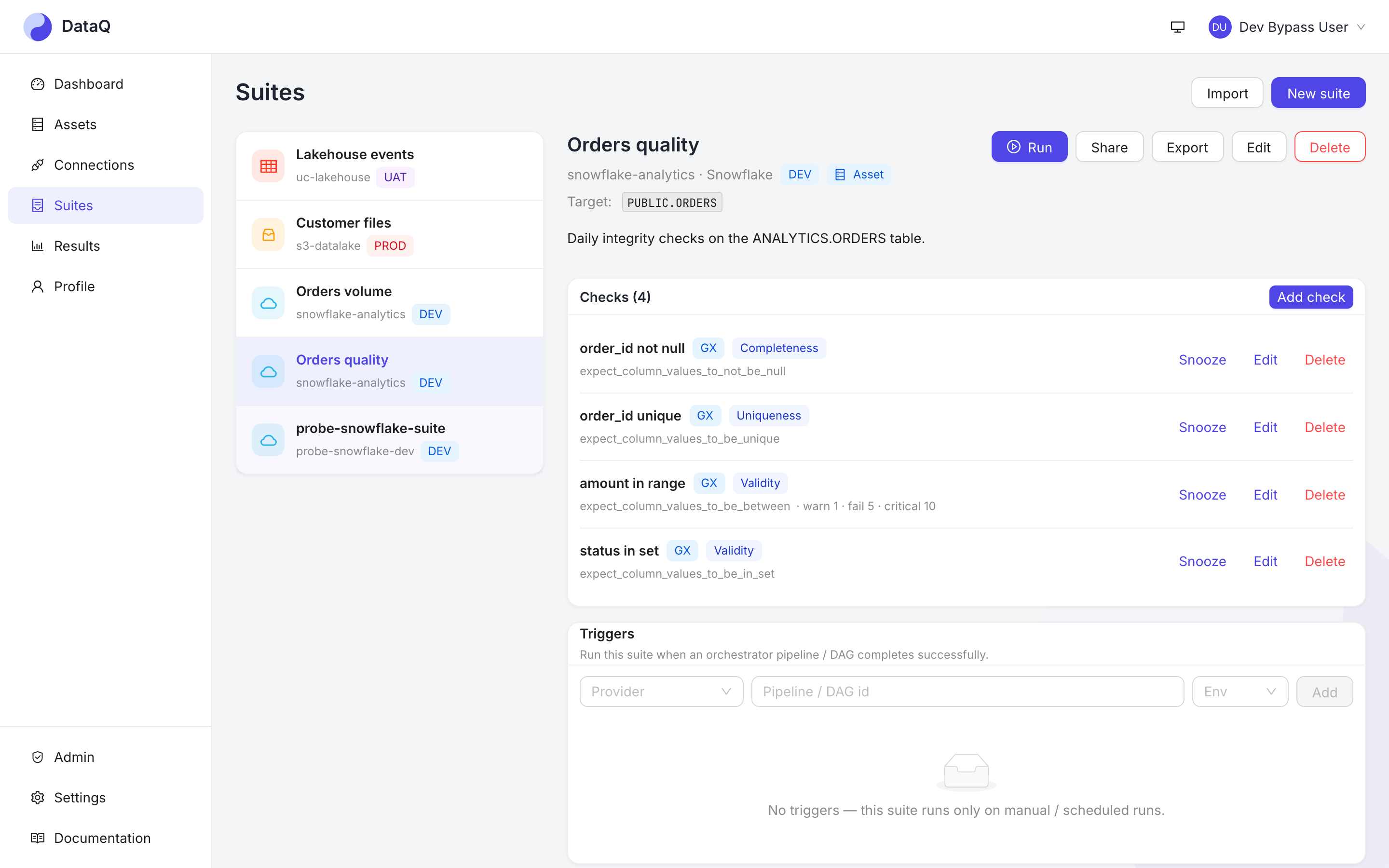
- Connection — credentials + config for one datasource or orchestration provider.
- Suite — a named collection of checks that runs against one connection's target
(a table, a file/path, a Unity Catalog table, or an Iceberg
namespace.table). - Check — a single data-quality rule. Seven kinds: a Great Expectations expectation (e.g. "this column is never null", or a custom SQL rule), or one of the monitor kinds — freshness (is the data stale?), volume (did the load land whole?), aggregate (is a column's mean / median / sum / spread / min / max inside its bands?), schema drift (did the shape change?), anomaly (is this value abnormal for this dataset?), and comparison (does it reconcile against a baseline dataset?).
- Run — one execution of a suite. Each check produces a result with a status: pass / warn / fail / critical (plus skip / error for operational outcomes).
- Severity & health score — warn/fail/critical are weighted into a workspace health score and trend so you can see quality moving over time.
How a check runs
You author a suite → run it manually, on a schedule, or triggered by a pipeline → a Celery worker executes the checks via Great Expectations against the datasource → results are stored, the health score updates, and alerts fire (Teams / Slack / email) for failures. See Architecture for the flow.