An engineering-first, extensible place that connects your quality checks to the pipelines that load the data, the assets it lands in, the incidents a failure opens and the AI agents your team works with — on infrastructure you run.
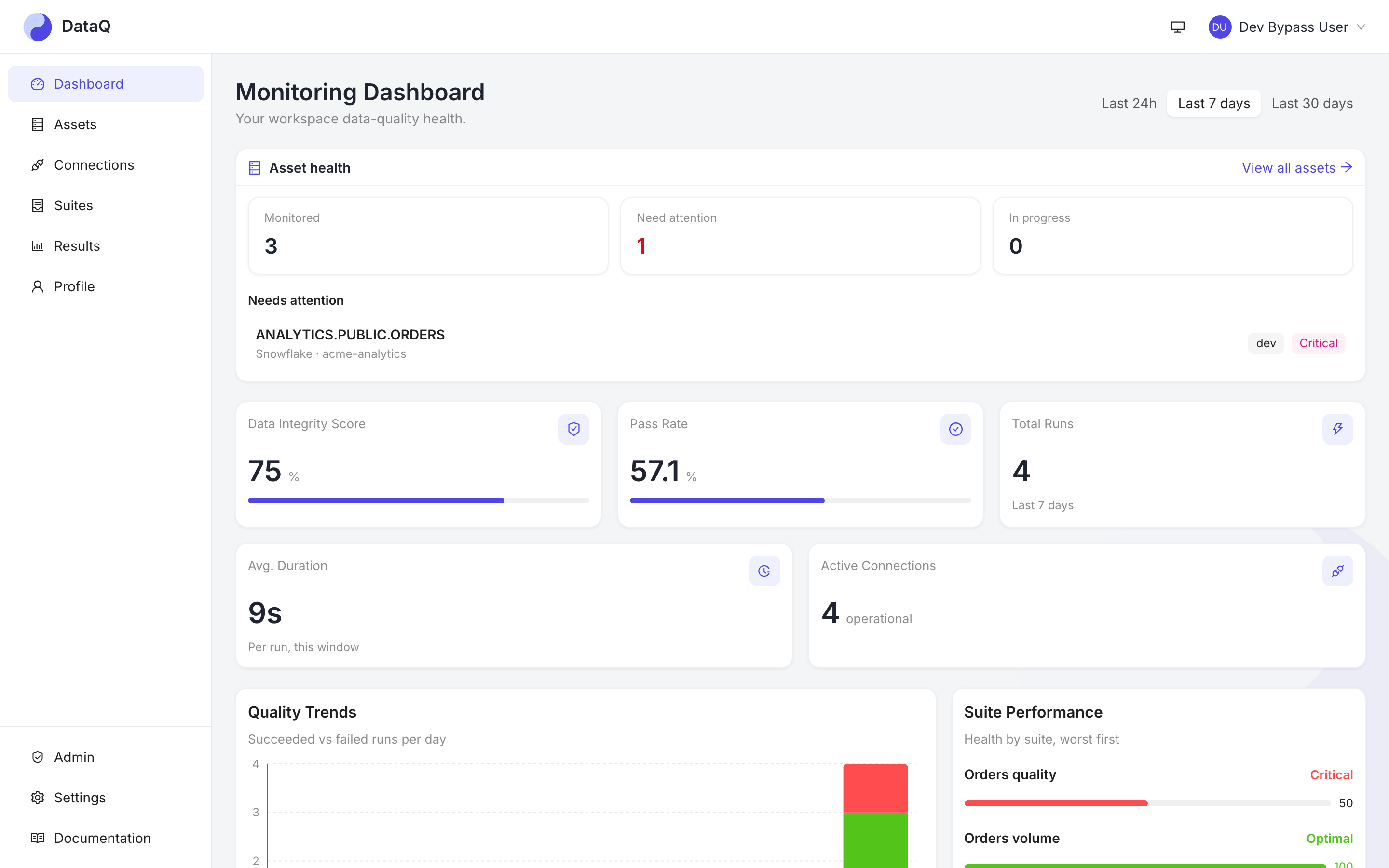
Each step below is in the product today. DataQ is a data-quality platform with an emerging observability layer: it watches what you point it at, and the tables of any warehouse connection you switch automatic coverage on for.
A pipeline finishes and the bound suite runs, or a schedule fires. Freshness, volume, schema-drift, anomaly and value checks find the load that never arrived, arrived half-empty or changed shape.
The result carries the measured value, the expected range and a redacted sample of failing rows. Bring your own LLM and it drafts a root-cause narrative from that evidence.
A failing check opens an incident on the asset it hit, and lineage from dbt, OpenLineage or the warehouse shows which downstream tables may be affected.
A pipeline stage can ask DataQ for the verdict before it publishes. DataQ answers; your DAG decides whether to continue.
The owning team is alerted once, acknowledges the incident, fixes the data, and re-runs the suite to confirm before resolving it — from the UI, the API or an AI agent over MCP.
Eight kinds of check, three orchestrators, every alert de-duplicated, and one assistant-ready interface — on infrastructure you run.
Freshness, volume and schema-drift monitors notice a load that never arrived, arrived half-empty or changed shape. Twenty-five vetted Great Expectations types, custom SQL with a live dry-run, anomaly detection on a learned baseline with weekly and yearly seasonality, aggregate bands on a column's statistics, PII-drift detection and cross-dataset comparison cover the rest. Switch on automatic coverage for a warehouse connection and its tables get baseline checks without anyone writing them.
Azure Data Factory, Airflow and dbt tell DataQ when a load finishes; the suite runs right after a success and the result is correlated to that pipeline run. Failures alert without running checks on nothing. A pipeline stage can also wait for the verdict and decide whether to go on. Cron schedules cover everything else.
Microsoft Teams, Slack, email and webhooks, routed by severity and configured per suite. A broken check reports when it breaks and when it gets worse — not on every run.
Real screens from the seeded demo workspace — the same ones in the tutorials.
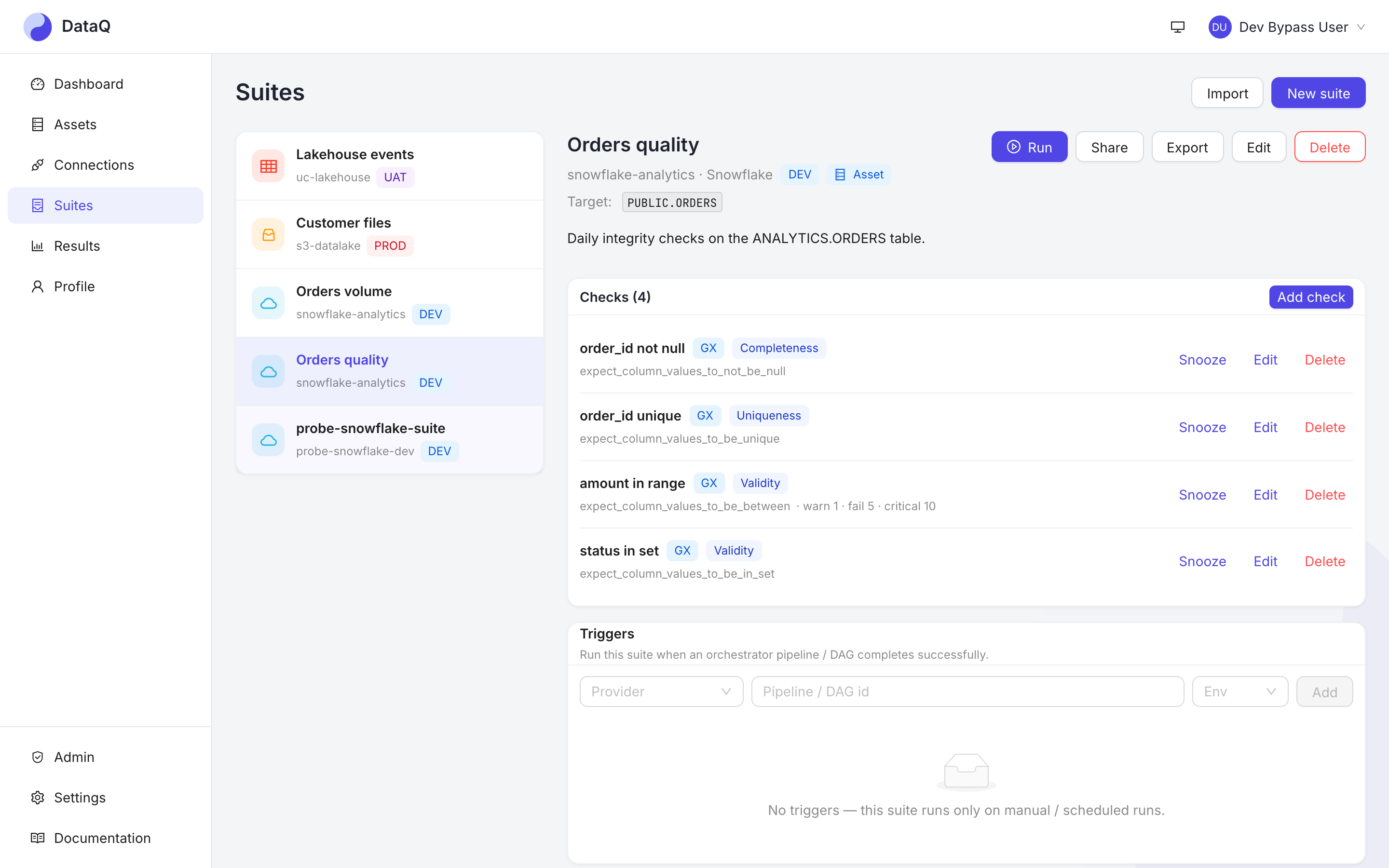
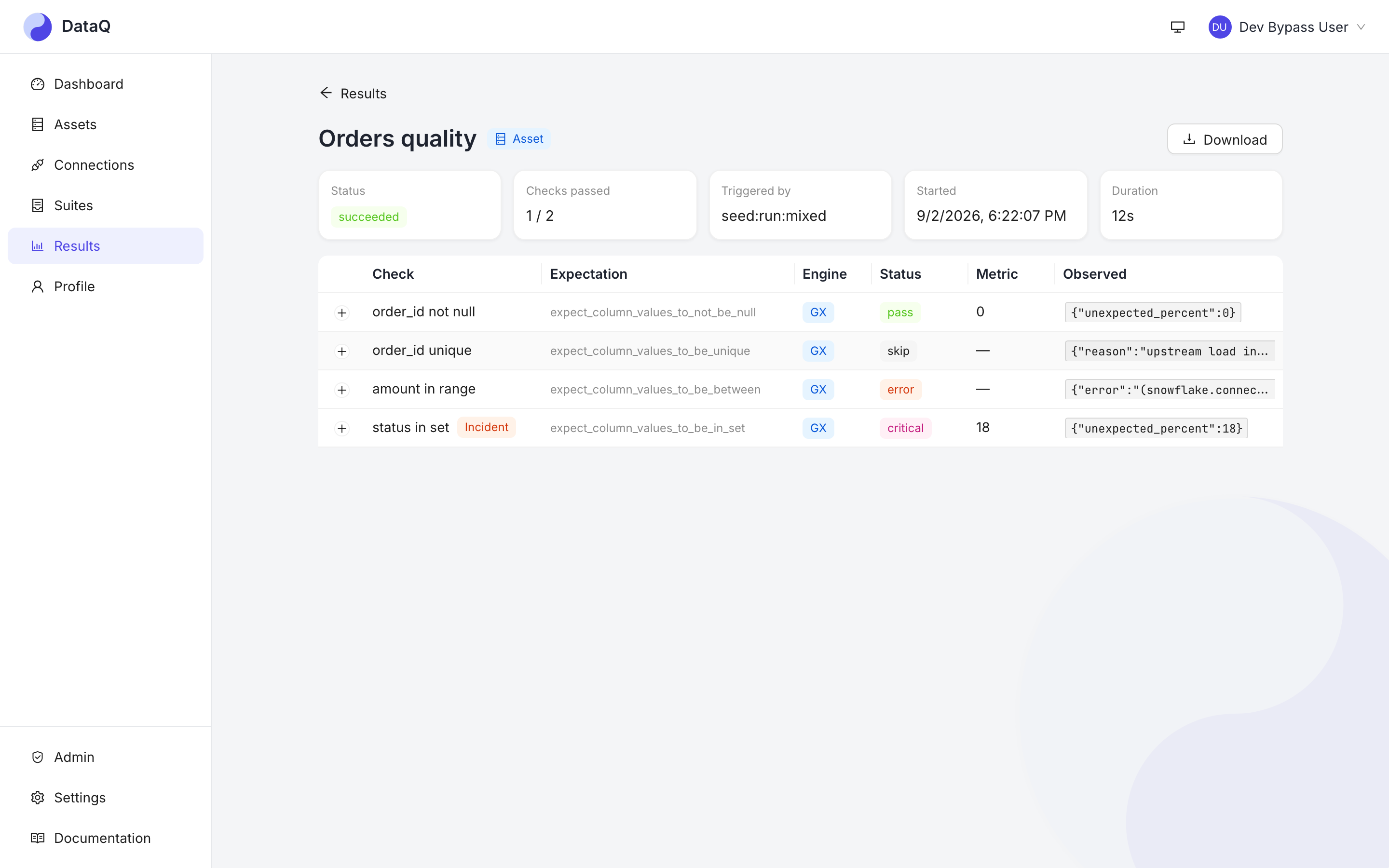
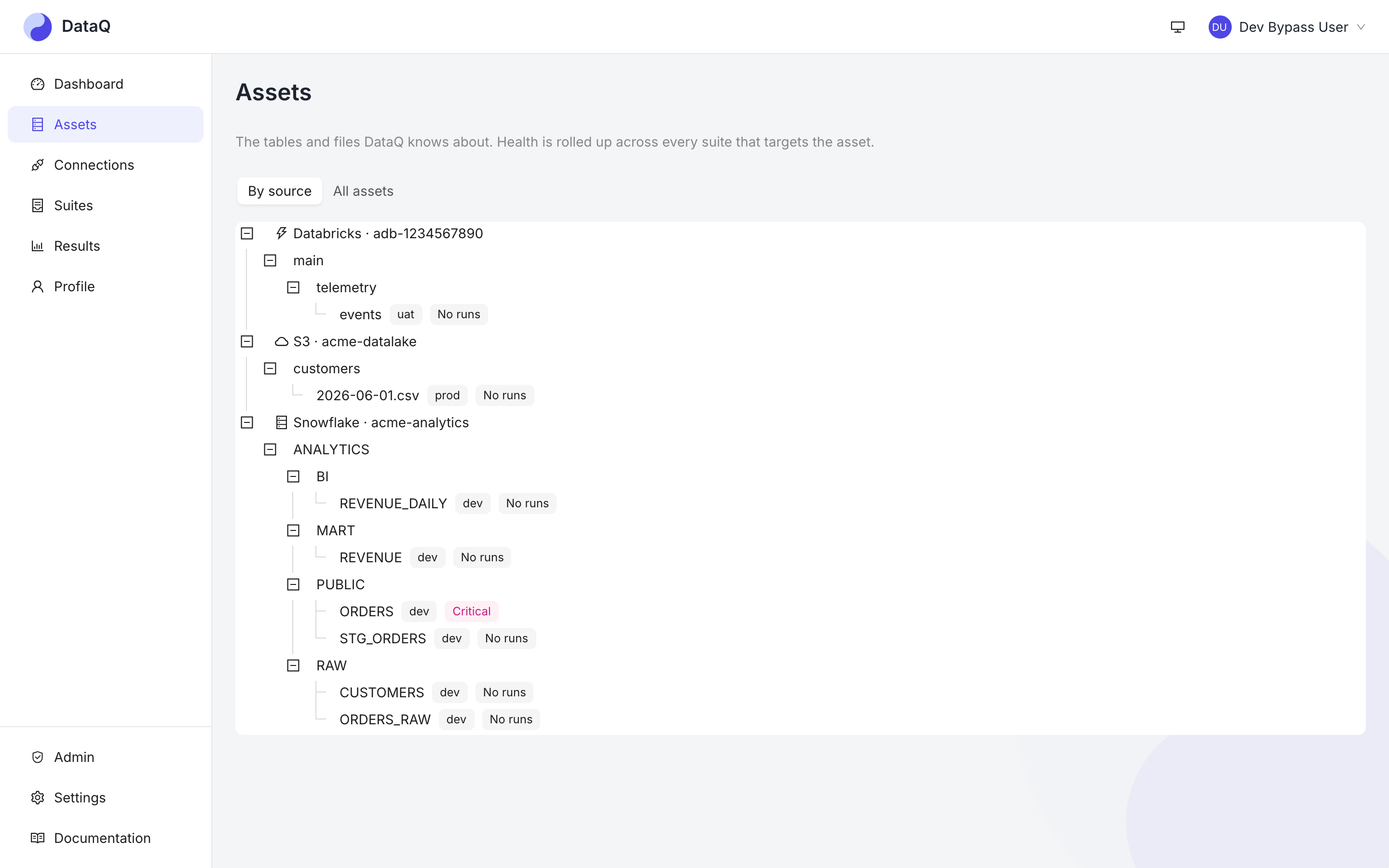
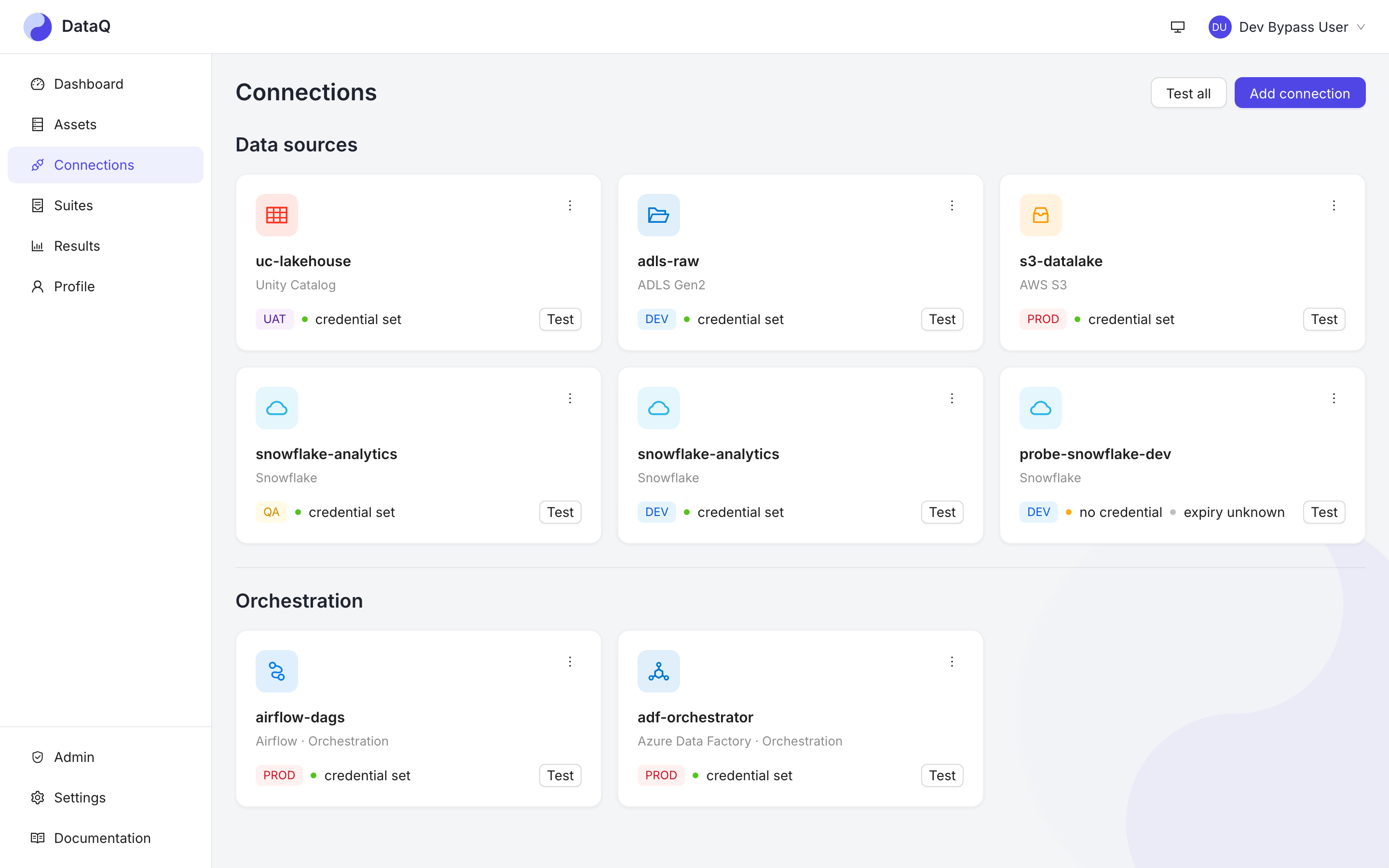
These screens come from the Docker stack's demo profile: a sample PostgreSQL shop warehouse with deliberate defects, already connected and run when you first sign in. The read-only demo in your browser uses a different recorded sample workspace, so it shows other tables and suites.
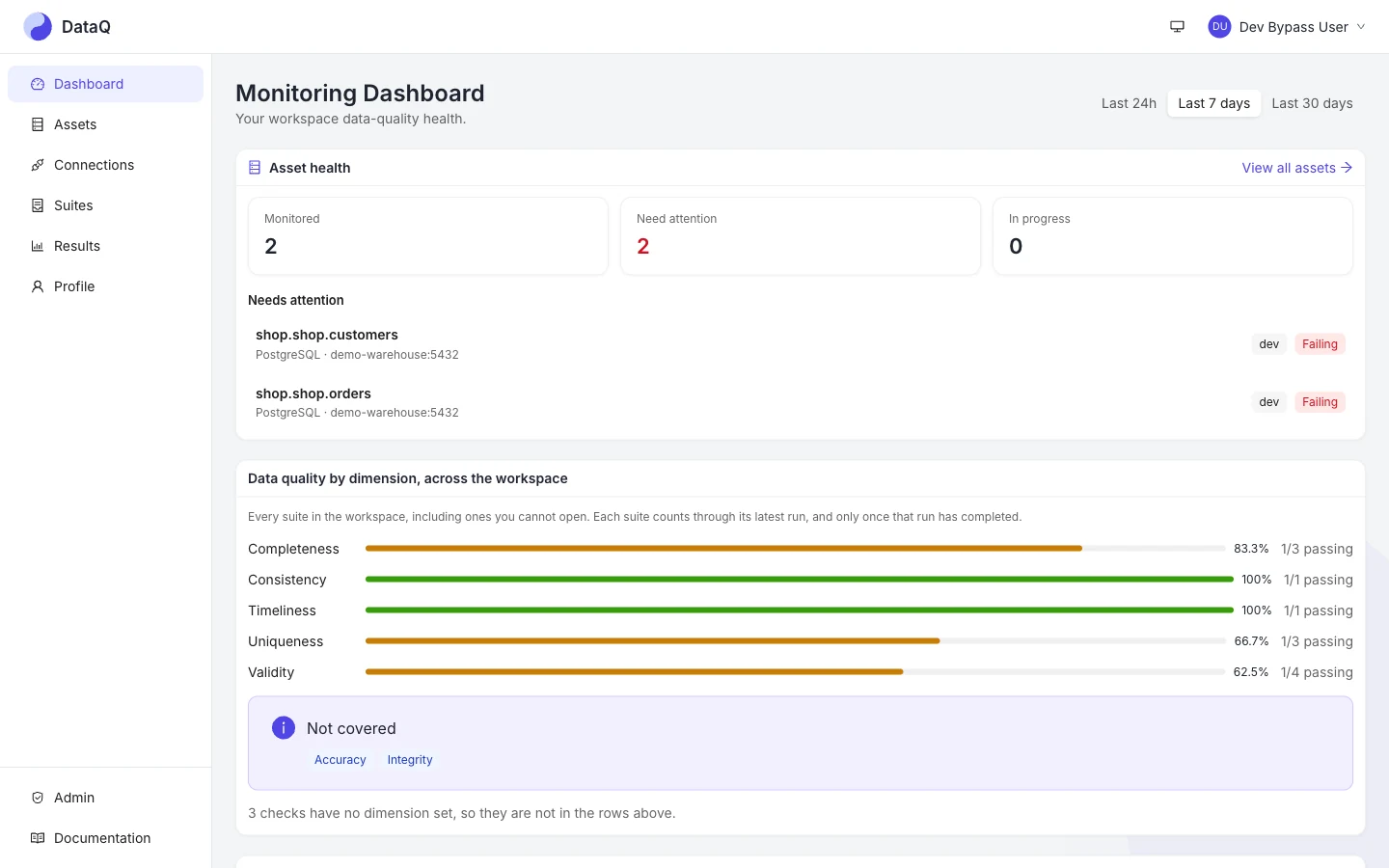
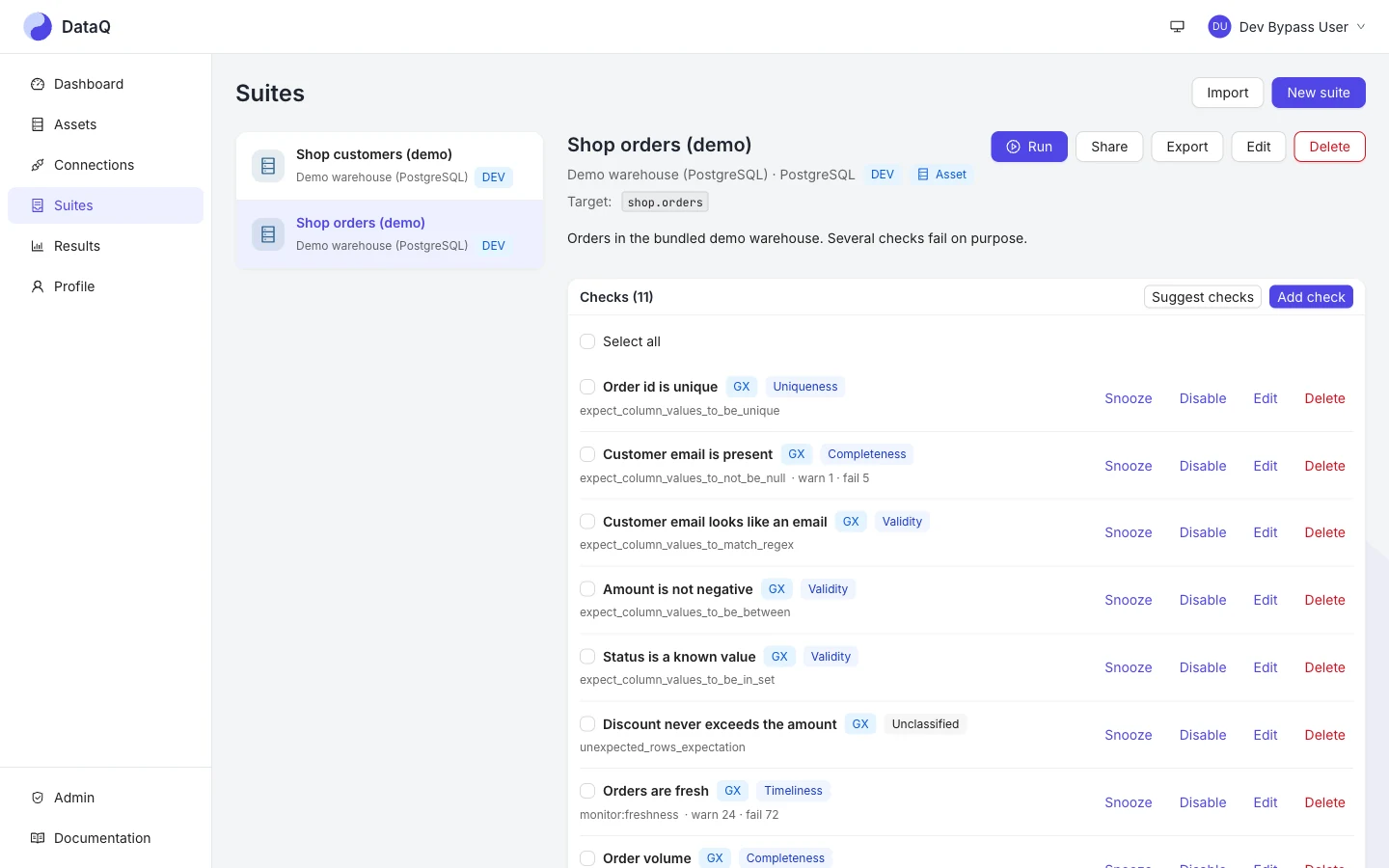
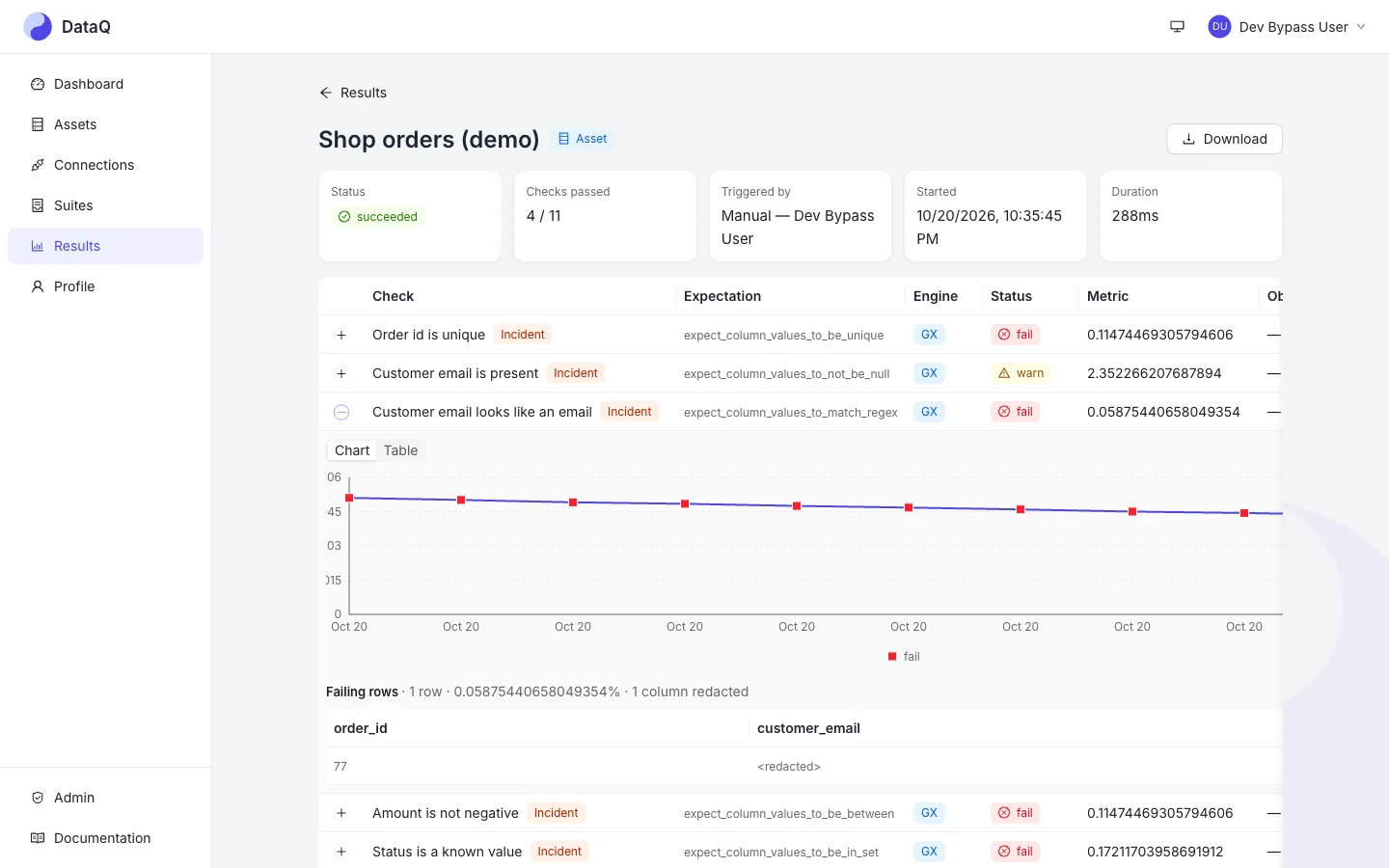
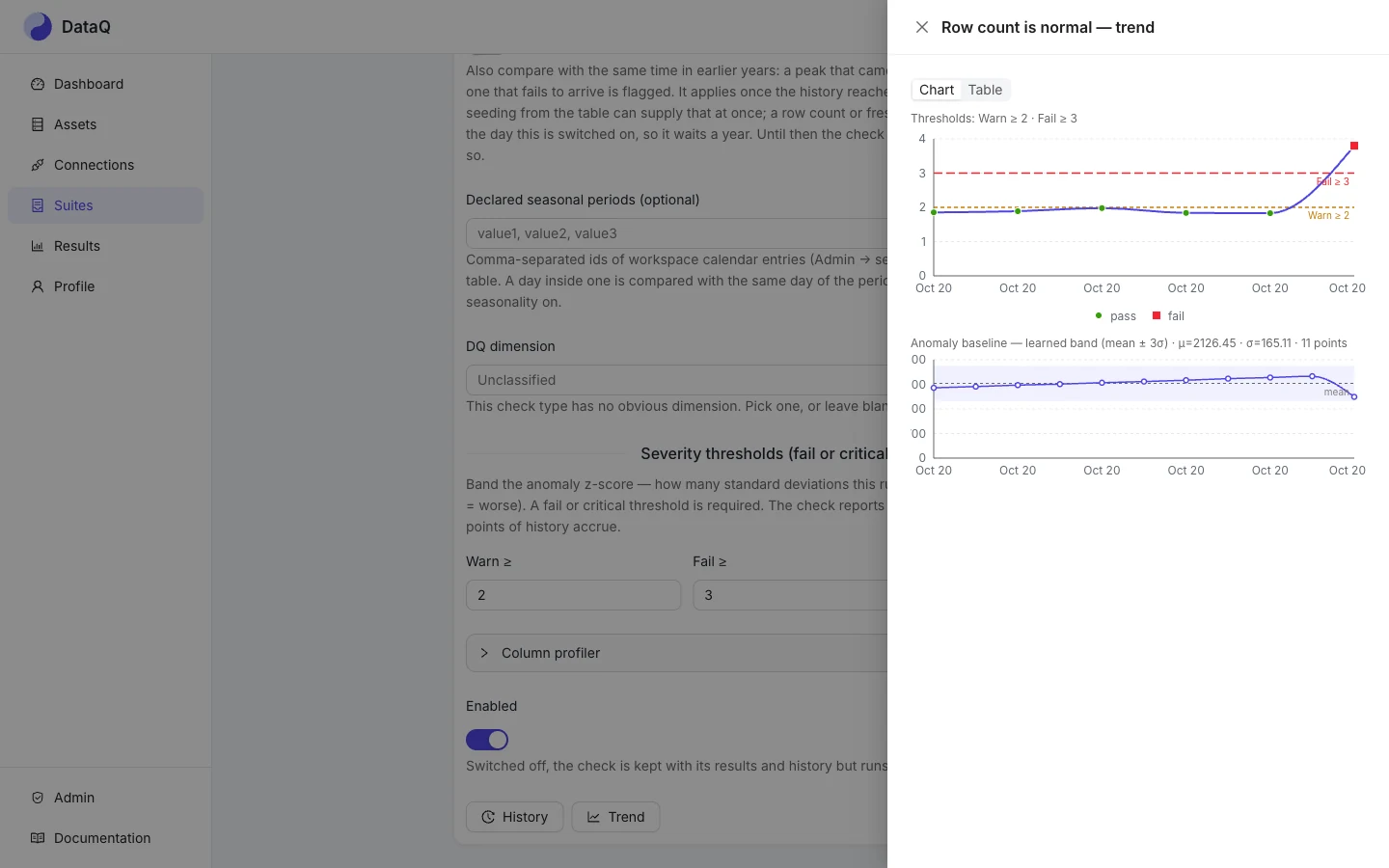
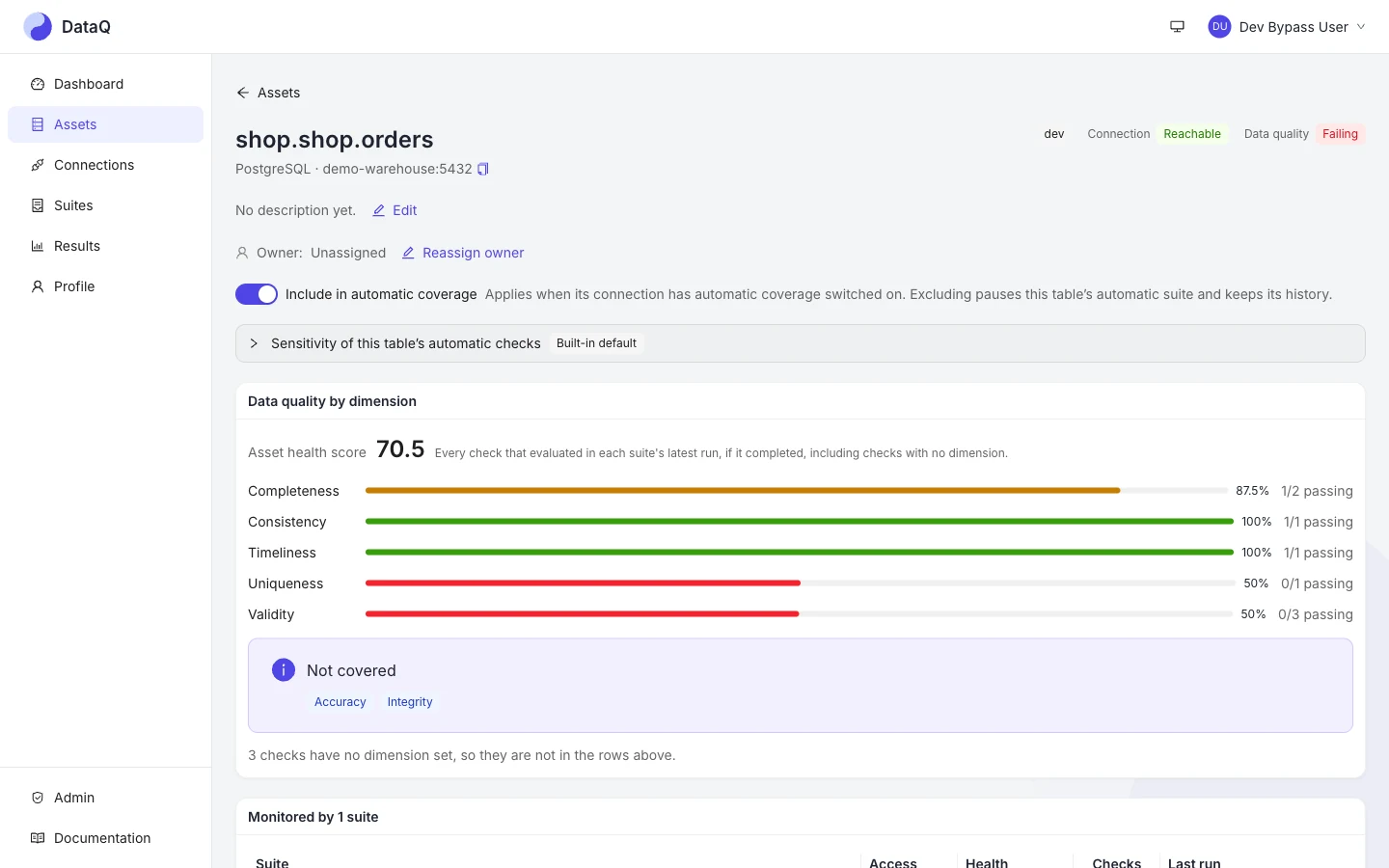
shop.orders into one health score by dimension and names the dimensions nothing checks yet.Connect Claude, Copilot or Cursor to /mcp/ (keep the trailing slash) with a personal access token and ask “what is failing on shop.orders, and why?” The assistant works through the same MCP tools as the rest of the product, with your permissions. For example:
list_incidents     what is open, and on which asset
get_incident       the failing result and its evidence
trigger_suite_run  re-run the suite once the data is fixed
It never sees a connection credential, and each tool says what it cannot see.
Set up an assistant
Open source, MIT licensed, self-hosted — one docker compose up to evaluate, OpenTofu for Azure or AWS to run it for real.